Home / WordPress

WordPress

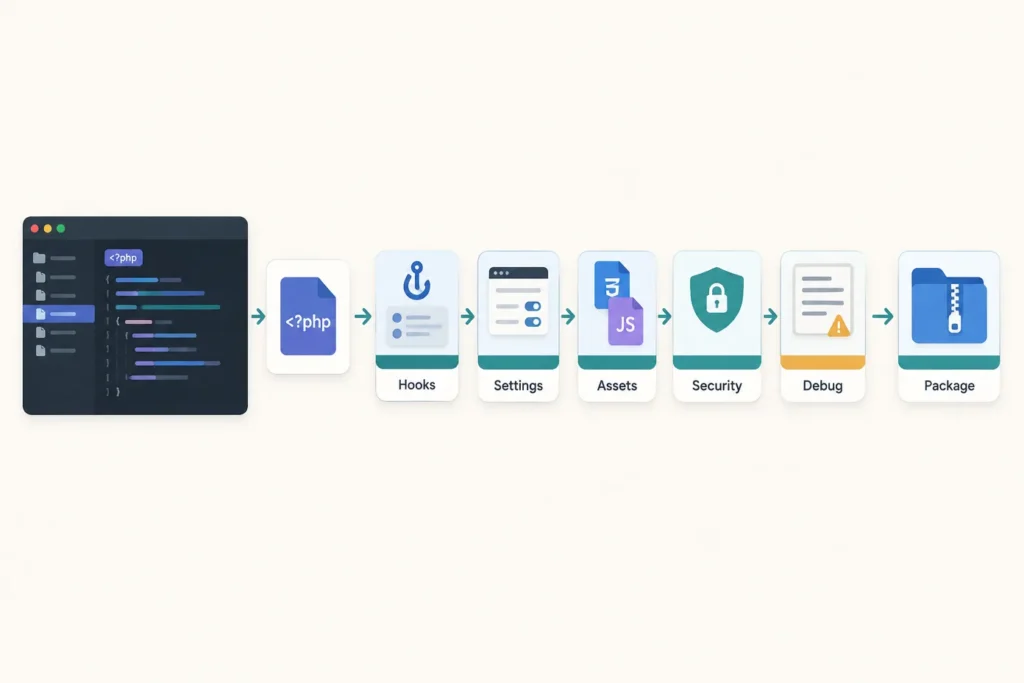
A wide technical illustration shows a PHP plugin file moving through hooks, admin settings, security checks, assets, debugging, and final packaging.

How to Build a WordPress Plugin from Scratch: A Practical Developer Guide

A WordPress plugin can begin as one PHP file. This guide builds a small “Site Notice” plugin that lets an administrator save a message and display it above the site content. It is intentionally simple, but it uses the same building blocks as larger plugins: a plugin header, hooks, options, sanitization, escaping, nonces, capabilities, and conditional asset loading.

Advertisement
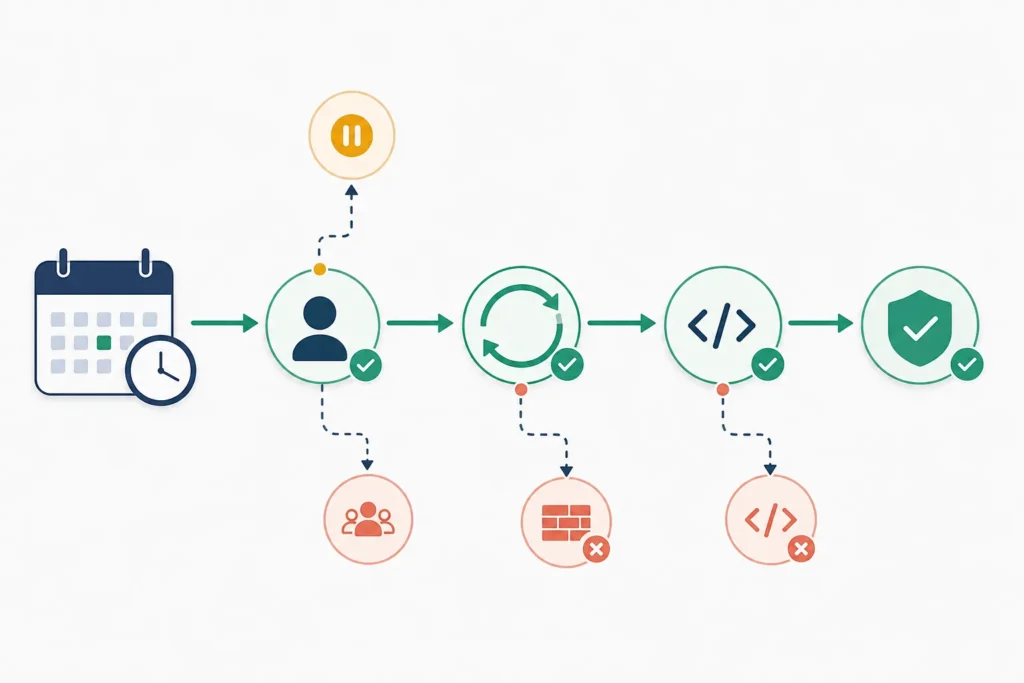
Wide diagram showing a scheduled task moving from a calendar event through a trigger, loopback request, callback, and final verification, with branches for disabled processing, low traffic, blocked requests, and callback errors.

WordPress WP-Cron Not Working? How to Diagnose and Fix Scheduled Tasks

If WordPress scheduled posts, backups, emails, imports, or plugin jobs are late, start with four checks: inspect the overdue event, confirm that DISABLE_WP_CRON is not blocking processing, review Site Health and server logs for request failures, and determine whether the event’s callback is failing. These checks separate a general WP-Cron problem from one broken plugin task.

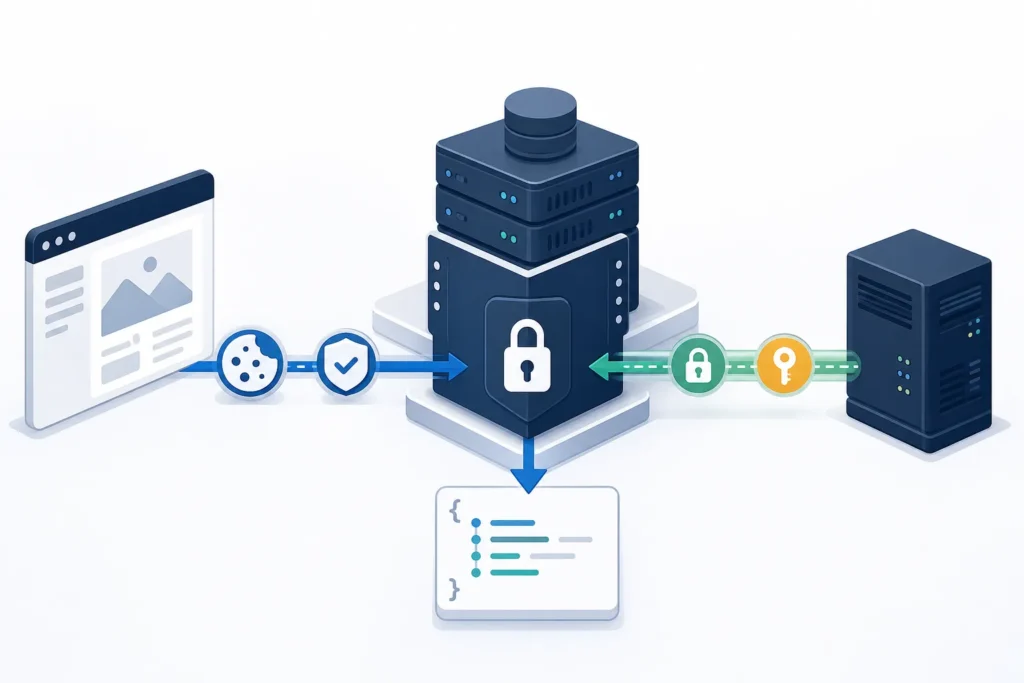
Browser and external server follow separate secure paths to a protected content management API, with the browser using session symbols and the server using an application key.

WordPress REST API Authentication Explained With Practical Examples

WordPress REST API authentication is required when an endpoint needs to know which user is making a request and whether that user has permission to perform the action. Many read-only endpoints can be public, but creating, updating, deleting, or accessing protected data usually requires authentication and authorization.

Advertisement