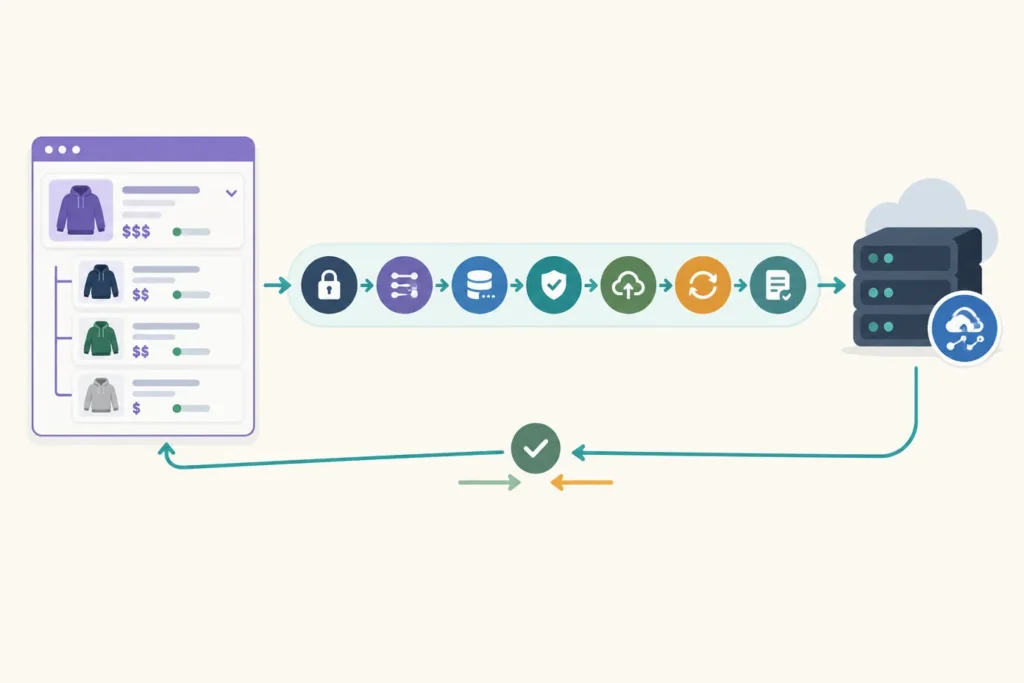
To sync WooCommerce products with an external API reliably, use a repeatable pipeline: fetch, map, validate, upsert, and verify. Match records using a stable identifier, make each write idempotent, process catalog pages in batches, and log enough information to reconcile failures later.
The external API contract determines the final design. Some APIs accept a complete product document, while others require separate endpoints for products, inventory, images, or variants. Start by deciding which system owns each field before writing the integration.
What a reliable WooCommerce product sync should do
A product synchronization is not simply “send every WooCommerce product to another API.” A dependable implementation answers these questions explicitly:
- Is data moving one way, from WooCommerce to the external system, or both ways?
- Which system is authoritative for prices, inventory, descriptions, and publication status?
- How are parent products and variations represented remotely?
- What happens when a product is removed, drafted, made private, or goes out of stock?
- Can a failed batch resume without creating duplicate products?
Keep product concerns separate even if the remote API combines them. A catalog record can include core product data, variations, stock, prices, images, categories, attributes, and custom metadata. Each area changes at a different frequency and may have a different owner.
There are three common trigger models:
- Scheduled sync: a job checks for changes at an interval. It is straightforward and useful when the destination has no webhook support.
- Event-driven sync: a WooCommerce or WordPress event queues an update when a product changes. It reduces delay but needs durable queueing and loop protection.
- Hybrid sync: events handle normal changes, while a scheduled reconciliation catches missed events and repairs drift. This is usually the most resilient production model.
Before implementation, record the WordPress, WooCommerce, PHP, and remote API versions used in your environment. API fields and authentication behavior can differ across releases, so do not assume an example is compatible with an unverified version.
Plan the data model and synchronization direction
The first design artifact should be a mapping table. It turns ambiguous requirements into an implementation contract and makes the mapping function testable.
| WooCommerce field | External API field | Rule |
|---|---|---|
| Product ID | source_id | Preserve as traceability data; do not usually use it as the cross-system key. |
| SKU | external_key or sku | Use as the match key only when it is unique and stable for products and variations. |
| Product meta: _remote_product_id | id | Store the remote identifier after a successful create when the design permits. |
| Name and short description | name and summary | Normalize empty values and decide whether HTML is allowed. |
| Regular and sale price | price | Define currency, tax inclusion, decimal formatting, and sale-date rules. |
| Stock quantity and stock status | inventory | Send the owner’s value only; distinguish unmanaged stock from zero stock. |
| Catalog visibility/status | status | Map publish, draft, private, and excluded products according to policy. |
| Featured image/gallery | images | Send approved absolute URLs or upload media if the remote API requires files. |
| Categories and attributes | categories and options | Map names, slugs, or remote IDs consistently. |
| Variation ID and attributes | variant source_id/options | Treat each variation as a distinct sellable record. |
Choose the source of truth per field
A system of record does not need to own the entire product. For example, WooCommerce may own titles, descriptions, and media, while an inventory service owns stock and a pricing tool owns prices. Write this decision down field by field.
For one-way synchronization, reject or overwrite destination changes to fields owned by WooCommerce. For bidirectional synchronization, define a conflict rule before enabling writes in both directions. Common choices are:
- field-level ownership, which is clearer than a universal “last update wins” rule;
- a timestamp comparison only when clocks and update semantics are trustworthy;
- manual review for conflicts on sensitive fields such as price or stock.
The safest match key is a stable identifier shared by both systems. A unique SKU can work well, but only if it is required and remains unchanged. Otherwise, issue an external key, store it in WooCommerce product meta, and send it with every request. Parent product IDs should not be used to identify variations: each variation needs its own identity.
Prepare WooCommerce and external API access
Use WooCommerce REST API credentials only if the integration reads or writes through the REST API. Give the credentials the narrowest practical permission, and use a separate credential for each integration where possible. An external worker may instead run inside WordPress and use WooCommerce CRUD objects directly.
The remote service may use an API key, bearer token, OAuth flow, or signed requests. Keep secrets out of plugin source code and out of version control. A deployment secret store or server environment configuration is preferable. Never write authorization headers, tokens, or full request bodies containing credentials to logs.
Document these operational details before the first batch run:
- authentication method and required request headers;
- connection and response timeouts;
- pagination style, maximum page size, and completion signal;
- rate-limit response behavior and any retry-after header;
- remote product lookup endpoint or filter syntax;
- whether creates and updates use different methods or endpoints.
For a broader view of trigger choices and workflow design, see WooCommerce on Autopilot: Actionable Workflow Automation Examples.
Build the retrieval and mapping layer
Keep retrieval, mapping, transport, and persistence separate. A mapping function should accept a WooCommerce product object and return a plain array matching the remote contract. That makes it possible to test transformations without calling either API.
This simplified example is intended as a structure to adapt. The exact methods and payload fields depend on the versions and API contract in your environment.
function map_wc_product_to_remote( WC_Product $product ): array {
    $images = [];

    if ( $product->get_image_id() ) {
        $image_url = wp_get_attachment_url( $product->get_image_id() );
        if ( $image_url ) {
            $images[] = array( 'src' => $image_url, 'position' => 0 );
        }
    }

    foreach ( $product->get_gallery_image_ids() as $position => $image_id ) {
        $image_url = wp_get_attachment_url( $image_id );
        if ( $image_url ) {
            $images[] = array( 'src' => $image_url, 'position' => $position + 1 );
        }
    }

    return array(
        'external_key' => $product->get_meta( '_sync_external_key', true ) ?: $product->get_sku(),
        'source_id'    => (string) $product->get_id(),
        'name'         => $product->get_name(),
        'description'  => wp_strip_all_tags( $product->get_description() ),
        'status'       => $product->get_status(),
        'price'        => array(
            'regular' => $product->get_regular_price(),
            'sale'    => $product->get_sale_price(),
            'currency' => get_woocommerce_currency(),
        ),
        'inventory'    => array(
            'manage_stock' => $product->managing_stock(),
            'quantity'     => $product->managing_stock() ? $product->get_stock_quantity() : null,
            'status'       => $product->get_stock_status(),
        ),
        'images'       => $images,
        'synced_at'    => gmdate( 'c' ),
    );
}
Do not silently replace null, empty string, and zero with one another. A stock quantity of 0, an untracked stock quantity of null, and an absent value can mean different things to a remote API. Similarly, decide whether product descriptions remain HTML, are converted to plain text, or are rejected when unsupported.
Retrieve catalog data with pagination. A full catalog may not fit into one response, and a response that happens to fit during development may later grow. Process one bounded page or cursor at a time, store progress after a successful batch, and continue until the API’s documented completion signal is received.
Handle variable products deliberately
A variable parent is generally a container, while each variation is an independently purchasable item with its own SKU, price, stock, and attribute combination. Some remote APIs model this as a product with embedded variants; others require a parent record followed by variant requests. Map the parent first only when the destination requires it, then send each variation with the remote parent ID or stable parent key.
Include only the attributes needed to identify the variation, such as color and size. Ensure option names and values are normalized consistently; “Blue” and “blue” can become duplicate options in systems with case-sensitive matching.
Implement idempotent create and update logic
An idempotent synchronization produces the same remote state when the same batch runs more than once. This is essential because jobs can time out after a remote server receives a request but before your worker receives the response.
The basic upsert flow is:
- Validate the local product and its stable key.
- Build a normalized payload.
- Look up the remote record by remote ID or stable key.
- Compare a payload fingerprint or remote revision when possible.
- Create if no remote record exists; otherwise update only changed fields.
- Save the returned remote ID and a successful sync timestamp locally.
function sync_one_product( WC_Product $product ): void {
    $payload = map_wc_product_to_remote( $product );

    if ( empty( $payload['external_key'] ) || empty( $payload['name'] ) ) {
        throw new RuntimeException( 'Product is missing a required sync field.' );
    }

    $remote_id = $product->get_meta( '_remote_product_id', true );
    $remote    = $remote_id
        ? remote_get_product( $remote_id )
        : remote_find_product_by_key( $payload['external_key'] );

    if ( $remote && remote_payload_matches( $remote, $payload ) ) {
        return; // Safe no-op on repeated runs.
    }

    $response = $remote
        ? remote_update_product( $remote['id'], $payload )
        : remote_create_product( $payload );

    $product->update_meta_data( '_remote_product_id', $response['id'] );
    $product->update_meta_data( '_remote_last_synced_at', gmdate( 'c' ) );
    $product->save();
}
If the remote API supports an idempotency key, send one derived from the stable product key and a content fingerprint. That can protect a create request from duplicate processing by the destination. It does not replace local lookup logic, but it improves recovery from uncertain network outcomes.
Define deletion policy separately. For example, a deleted local product might archive the remote record, mark it unavailable, or remain untouched for audit reasons. Do not infer deletion from a product missing from a single incomplete page. A reconciliation job should make this decision only after a complete source scan.
Sync stock, prices, and product changes without loops
Price and inventory are frequent sources of inconsistency. Decide whether updates are bundled with product changes or sent to dedicated endpoints. A dedicated inventory sync is often useful when stock changes more frequently than descriptions and media.
Make formatting rules explicit: currency code, decimal precision, tax-inclusive versus tax-exclusive values, sale-price dates, backorders, stock status, and rounding. Never assume that a displayed WooCommerce price has the same tax semantics as the remote API’s price field.
For event-driven updates, enqueue work rather than performing an HTTP request directly in a product-save request. A queue or scheduled worker can retry safely and avoids making the administrator’s product edit wait for a slow remote service. WooCommerce webhooks are useful when another system can receive and authenticate product events, but they should be paired with a reconciliation process because delivery failures can occur. See WooCommerce Webhooks in 2026: Modern Automation Patterns for webhook-oriented architecture patterns.
In bidirectional designs, attach origin metadata to outgoing changes where supported: for example, an integration name, event ID, source revision, or correlation ID. Ignore an incoming event that clearly originated from the same sync process. A short-lived lock alone is not enough, because a return event may arrive after the lock expires.
Add validation, retries, rate-limit handling, and observability
Validate before sending. Required fields commonly include a stable key, product name, and variation option values. Validation failures should be recorded as actionable product-level errors and should not be retried unchanged.
Retry only failures likely to succeed later: connection failures, timeouts with an unknown outcome, rate limits, and selected server errors. Use bounded exponential backoff with a maximum attempt count. Respect a server-provided retry delay where available. Do not blindly retry authentication failures, malformed requests, missing required fields, or permanent conflicts; those need configuration or data fixes.
Log sanitized structured data for every result:
- run ID, batch number, and correlation ID;
- WooCommerce product or variation ID, SKU, and remote ID;
- operation type: skipped, created, updated, failed, or deferred;
- HTTP status, remote request ID, and retry attempt;
- sanitized error code and message, without secrets or unnecessary customer data.
Use batch limits that fit the remote API’s documented limits and your server’s execution budget. Persist a cursor, page token, or last completed product ID after a completed batch. A resume control should restart from known progress rather than reprocess an uncontrolled catalog range.
Secure and operate the workflow
Run recurring work through a reliable scheduler, queue worker, or external job runner appropriate for your hosting setup. WordPress cron behavior depends on site traffic, so it may not be sufficient when timing matters. Regardless of scheduler, prevent overlapping runs with a persistent lock or job-state record. Release the lock on completion and ensure stale locks can be recovered safely after a worker crash.
Use HTTPS for every request, least-privilege credentials, and a credential-rotation procedure. Add a dry-run mode that maps and validates products without writing remotely. Operational controls should include batch size, start cursor, rate-limit delay, retry limit, and a way to rerun selected failed product IDs.
A periodic reconciliation compares source and destination records after normal sync activity. Compare stable IDs and a normalized hash of fields owned by each system, not raw responses that include unrelated timestamps. Reconciliation identifies missing records, stale updates, and duplicates that event processing alone may not reveal.
Test, verify, and troubleshoot common failures
Use a staging environment or a clearly isolated destination catalog before the first production run. Test a simple product, an existing product update, an out-of-stock item, a variable product with several variations, an item with no SKU, a missing image, and a product that should be excluded by status.
Then rerun the exact same batch. The expected result is no duplicate creation and mostly no-op operations. Change only stock or price and verify that the designated owner’s change appears remotely without overwriting unrelated fields.
Practical verification checklist
- Source and destination have the expected number of included products and variations.
- Every destination record has a stable key or stored remote ID.
- Names, statuses, prices, stock, images, and variation attributes follow the mapping rules.
- Successful records have a traceable sync timestamp and run ID.
- Rerunning a successful batch does not increase destination counts.
- Failed records are visible in logs and can be retried after the underlying issue is fixed.
Authentication errors usually point to an expired secret, incorrect authorization scheme, clock-sensitive request signing, or insufficient permission. Missing products often come from unhandled pagination or an overly narrow status filter. Duplicate products usually indicate an unstable key, a failed remote lookup, or a create request that was repeated after an uncertain timeout. Repeated alternating updates are a sign that origin metadata or field ownership is missing.
For recurring jobs that need a visual automation layer rather than custom worker code, How to Connect WooCommerce to n8n Step by Step provides a related workflow starting point. The same data-ownership, idempotency, and reconciliation rules still apply.
Final implementation sequence
Build the integration in this order: document ownership and identifiers; implement and test mapping; add idempotent upserts; process paginated batches; add validation and bounded retries; then enable event triggers and reconciliation. This sequence gives you a safe one-way baseline before introducing the additional risk of bidirectional updates.
A product sync is dependable when it can explain what happened to each record, safely repeat work after failure, and repair differences between systems without guesswork.