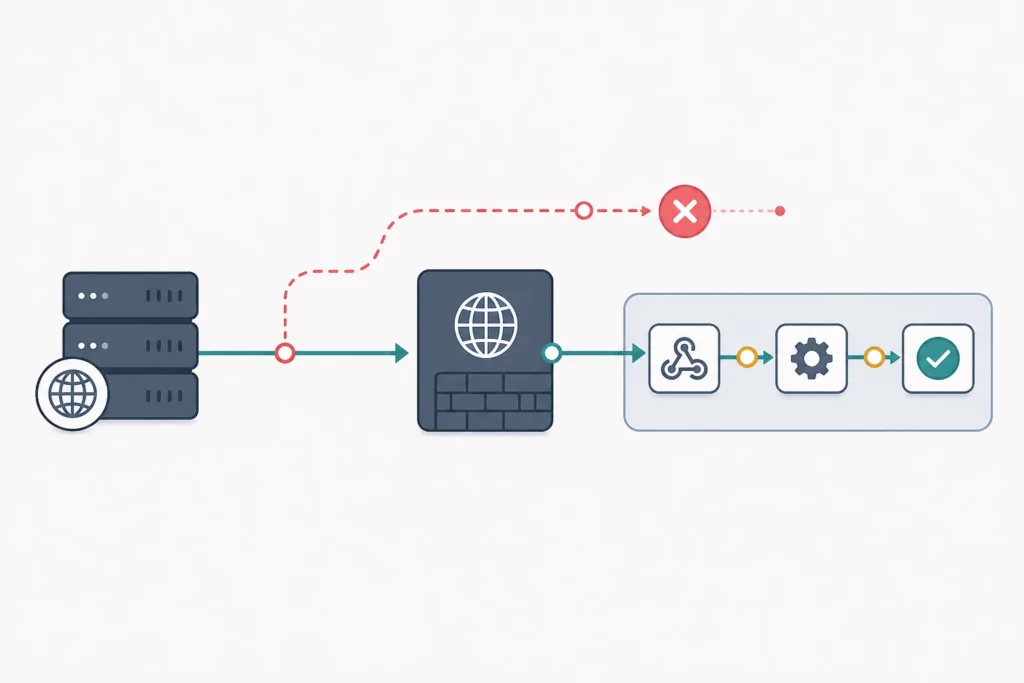
An n8n webhook 404 usually means the request did not match a webhook route that n8n has registered. The quickest checks are: copy the exact URL from the Webhook node, confirm whether you are using its test or production URL, match the HTTP method, and make sure the workflow is active for a production request.
If the request creates an n8n execution but the workflow later fails, the webhook is not the primary problem. Start with the failed downstream node instead. This guide separates those two cases so you can avoid changing proxy or sender settings unnecessarily. Configuration details can vary by n8n version and deployment, so verify version-sensitive settings in your own instance before publishing a permanent configuration.
Quick diagnosis: why an n8n webhook returns 404 or does not trigger
Record these details before changing anything: the full URL, HTTP method, response status and body, timestamp, whether you used a test or production endpoint, and whether n8n is cloud-hosted or self-hosted. Those details make it possible to compare what the sender did with what n8n received.
- Did you receive HTTP 404? Check the copied URL, webhook mode, method, path, and any reverse proxy route.
- Did n8n create an execution? If yes, open it. A failed node after the Webhook node is a workflow or payload issue, not a missing endpoint.
- Are you calling a test URL? Put the editor into its test-listening state, then send a request promptly.
- Are you calling a production URL? Save and activate the workflow, then send the request to the production URL.
- Does a direct request work but WooCommerce or another sender fails? Compare the sender’s URL, method, authentication, payload, and its ability to reach your public host.
A browser is often a poor test because it normally sends a GET request. If your Webhook node expects POST, use an HTTP client that can send the intended method and body.
Check the webhook URL and test-versus-production mode
The Webhook node provides separate URLs for testing and production. They are not interchangeable. Copy the appropriate URL from the node rather than rebuilding it by hand; this prevents missing path segments, using an old path, or mixing up the endpoint type.
- Test URL: Use it while developing. In the workflow editor, start listening for the test event, then send the request. If n8n is not listening, a request to that temporary test route may not be accepted.
- Production URL: Use it from WooCommerce, an application server, or any persistent sender. The workflow must be saved and active so n8n can register the production route.
Changing the Webhook node path, method, or relevant workflow configuration can make a previously copied URL unsuitable. Copy the URL again after a meaningful change and update the sender deliberately. For a broader introduction to the integration pattern, see What Is n8n and How It Works with WooCommerce: Complete Beginner Guide.
Expected observation: a test request should appear in the active test session, while a production request should create an execution for the active workflow. If neither happens, continue with the route checks below.
Verify workflow activation and webhook registration
Saving a workflow preserves its configuration; activation determines whether it can receive production webhook calls. Check the workflow’s active status in n8n, save recent edits, and review the executions list around the recorded request time.
For a safe basic verification, send a minimal request to the copied production URL using the configured method. The exact response depends on the node’s response settings and workflow design, so do not rely on one universal status code. The useful result is that the request appears in the expected workflow execution and the Webhook node shows incoming data.
If the workflow is inactive, activate it before testing production. If you changed the workflow after copying a URL, save and re-check the node’s displayed production URL. If an execution appears but a later node fails, inspect that node’s error, credentials, mappings, and incoming fields rather than treating the failure as a 404.
Confirm the HTTP method, path, and request format
The sender’s request must match the Webhook node’s configured method and path. A POST endpoint will not necessarily handle a GET request, and a one-character path difference can prevent routing.
- Compare the method exactly: GET, POST, PUT, PATCH, DELETE, or another configured option.
- Copy the path from the node. Check spelling, capitalization, duplicate segments, accidental leading or trailing slashes, URL encoding, and any deployment path prefix.
- After routing succeeds, inspect headers, query parameters, body format, and
Content-Type. For JSON, the sender should normally send a JSON body with an appropriate content type.
Start with a minimal request before adding a real WooCommerce or application payload. This tells you whether the route works independently of payload parsing or signature validation. Once the route is confirmed, compare how the real platform delivers data. The next-step guide How to Connect WooCommerce to n8n Step by Step can help with the integration side.
Test the endpoint outside the source application
Use a generic HTTP client to separate n8n routing from a sender-specific problem. The following are illustrative commands, not tested commands for your environment. Replace the placeholders with the exact copied endpoint and use the method configured in your node.
curl -i -X POST "https://your-domain.example/webhook/your-path" \
  -H "Content-Type: application/json" \
  -d '{"source":"manual-test","message":"hello"}'
For a GET endpoint, an example is:
curl -i "https://your-domain.example/webhook/your-path?source=manual-test"Capture the response status, body, headers, and time. Then check n8n executions at the same time. Run the test from a network that can actually reach the n8n host. A request to localhost from the machine running n8n does not prove that WooCommerce or an external application can reach the public endpoint.
Next action: if the direct request works but the original sender does not, compare its configured URL, method, authentication, payload format, and outbound delivery logs. If the direct request also gets 404, focus on URL, activation, and proxy routing.
Troubleshoot self-hosted n8n, reverse proxies, and public URLs
With Docker, a reverse proxy, a custom domain, or a path prefix, the request passes through several layers: the sender, public DNS and TLS endpoint, proxy, n8n service, Webhook node, and workflow. A 404 may come from the proxy before n8n sees anything.
- Check the public base URL. Confirm that n8n is configured to generate webhook links for the externally reachable hostname and protocol, not an internal container address.
- Check proxy forwarding. Ensure the proxy forwards the webhook path and the incoming HTTP method to n8n. Review path rewriting and trailing-slash behavior carefully.
- Check prefixes and hostnames. If n8n is served below a prefix, both the generated webhook URL and proxy rules must agree. Verify the hostname used by the sender matches the proxy virtual host.
- Check TLS termination. A proxy handling HTTPS must still forward the request consistently to the backend. Avoid assuming an internal HTTP backend makes the public HTTPS endpoint irrelevant.
- Read logs in request order. Check proxy access/error logs, container logs, and n8n logs using the recorded timestamp. This reveals the last layer that saw the request.
If a proxy access log records the request but n8n has no corresponding activity, inspect the proxy target and route rules. If n8n receives the request but no execution is created, re-check route registration, active status, and the exact method/path. If neither layer records it, investigate DNS, firewall rules, network exposure, and the sender’s outbound delivery attempt.
Common n8n webhook failure patterns
| Symptom | Likely check | Next action |
|---|---|---|
| 404 on a test URL | Test listener is not active, URL is stale, or method/path differs | Start test listening and copy the current test URL again. |
| 404 on a production URL | Workflow is inactive, production URL is wrong, or proxy route is missing | Save and activate the workflow, then inspect public routing. |
| No execution at all | Sender cannot reach the host or request misses the route | Send a direct external request and review sender and proxy logs. |
| Execution starts but workflow fails | Downstream credentials, field mappings, or payload expectations | Open the failed node and inspect the Webhook node’s received data. |
| Manual request works; WooCommerce fails | WooCommerce URL, event configuration, method, delivery, or reachability | Compare the delivery details against the successful request. |
Verification checklist and prevention steps
- Retest the intended test or production URL with the configured HTTP method.
- Confirm the request creates an execution in the intended workflow and that expected payload fields are present.
- After the direct test succeeds, retest from the real sender and compare its delivery details.
- Document the endpoint purpose, method, activation requirement, expected response behavior, and any proxy prefix.
- Use HTTPS for public endpoints, validate a shared secret or signature where the sender supports it, use least-privilege credentials downstream, and avoid exposing sensitive payload values in logs.
These checks are especially useful when building recurring store workflows. For examples of what to automate after delivery is reliable, see WooCommerce on Autopilot: Actionable Workflow Automation Examples.
Frequently asked questions
Does an n8n workflow need to be active for a production webhook?
Generally, yes: the production endpoint depends on the workflow being saved and active so n8n can receive production calls. Use the test URL and test-listening mode during development instead.
Can I use the test and production URLs interchangeably?
No. The test URL is intended for an active editor test session. The production URL is intended for a saved, active workflow and persistent senders.
Why does a browser test fail when my webhook expects POST?
Opening a URL in a browser normally sends GET. Use curl, an API client, or the actual sender to reproduce the configured method and body.
What should I check when n8n shows no execution?
Check the full copied URL, method, workflow activation, sender delivery details, public reachability, proxy access logs, and n8n/container logs. This identifies whether the request failed before reaching n8n or missed the registered route.
Are webhook paths case-sensitive or affected by trailing slashes?
Treat the displayed URL as exact. URL and proxy behavior can vary by deployment, particularly with capitalization, trailing slashes, and path prefixes. Copy rather than reconstruct the route.
Next step
Once the endpoint receives a direct request and a real sender delivery, continue with Order Fulfillment Automation for E-Commerce: A Complete Guide to turn a working webhook into a useful automation flow.